



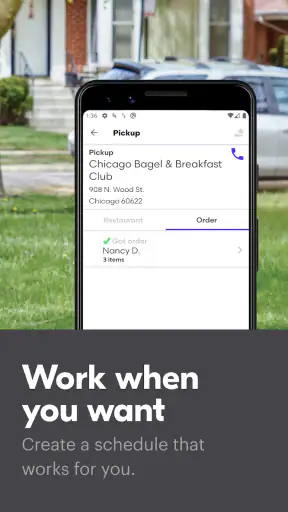

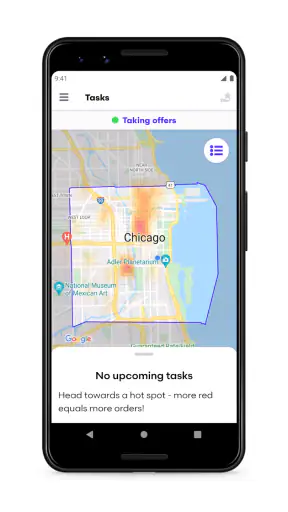
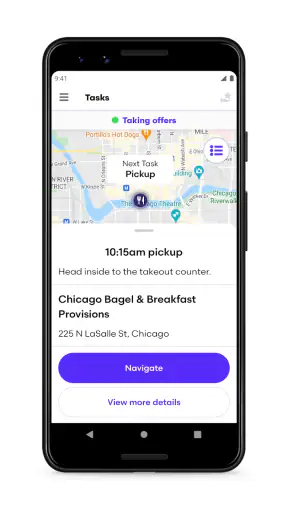
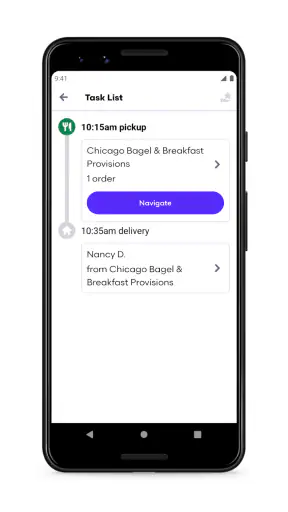
I approached Grubhub for Drivers as a practical work app rather than a typical food-ordering service. Its purpose is straightforward: it helps drivers use Grubhub’s delivery network to earn extra money. That makes it relevant to people looking for flexible delivery work, but it also means the app is only one part of a larger routine involving a vehicle, a phone, time management, and careful account handling.
My first impression was that the app makes the most sense when I treat it as a personal work tool. It is not designed for a household to pass around casually like a streaming app or a shopping app. A driver needs to know whose account is active, who is responsible for the vehicle and deliveries, and who is making decisions during a shift. That distinction becomes especially important when several people share one phone or when a family member helps with navigation and coordination.
How it fits into a shared household routine
A realistic example is a household where one adult wants to deliver during quiet periods while another person uses the same phone for calls, messages, or navigation. In that situation, the driver should begin by treating the app as a dedicated work session. Before heading out, I would make sure the correct person is signed in, notifications are easy to notice, and the phone is charged. Handing the device back and forth in the middle of deliveries creates avoidable confusion.
The app can be useful in a shared-device arrangement, but only when the boundaries are clear. The person whose driver account is being used should remain the person making delivery decisions. A partner or relative can help with directions, read information aloud, or watch for messages while parked, but that is different from casually switching accounts or allowing another person to take over the work without understanding the responsibilities involved.
This is one of the less obvious practical points: a shared phone does not automatically mean a shared driver account. I would keep the account holder’s login details private and avoid saving them where another household member can accidentally open the account. If the phone is used for other work or personal tasks, a short pre-shift check is worthwhile. Confirm the account, battery, connection, navigation setup, and notification volume before leaving.
That preparation matters because delivery work is fragmented. A driver may need to move from an offer to navigation, then to communication, then back to the delivery workflow. When two people are touching the same phone, it is easy to miss a prompt or open the wrong application. I found that the best household arrangement is not constant cooperation but a simple division of roles: one person drives and owns the shift, while the other provides occasional support without controlling the account.
Keeping setup separate from everyday phone use
Grubhub is listed as a free Business app from developer Grubhub, and the app itself is aimed at earning extra money through delivery work. That does not mean starting is effortless. The practical setup includes more than installing an app. I would first decide whether the phone belongs primarily to the driver during a shift, whether another person needs access to it, and how navigation and communication will be handled safely.
On a shared device, I recommend creating a clear routine rather than relying on memory. The driver can check the account before going online, silence unrelated alerts, and return the phone to its normal household setup after finishing. Those small steps reduce the chance that a family member answers a work notification without context or that the next person using the phone assumes the driver is still active.
Another useful boundary is financial and administrative. The app may help organize delivery activity, but I would not treat it as a household budgeting tool or assume that every person using the phone should see the driver’s work information. Keep discussions about earnings, expenses, mileage, and tax records separate from the act of accepting or completing deliveries. The app is a work interface; it should not become an improvised shared ledger.
The minimum operating requirement is Android 8.0, which makes the app accessible on many older Android phones. Still, compatibility alone does not guarantee a comfortable work experience. Older devices can be less pleasant when switching between navigation, calls, and delivery screens. If the phone is shared, performance and battery life become even more important because the device may already be handling personal applications throughout the day.
I would also avoid making a child or teenager the person responsible for setting up the driver’s account simply because they are more comfortable with phones. They may be able to help with menus or settings, but the adult doing the delivery should understand the account and workflow personally. This is a useful distinction between technical assistance and responsibility.
Coordinating without losing control of the shift
Household coordination works best when it supports the driver instead of competing with the app. For example, a partner can help choose a good time to go out, remind the driver to bring a charger, or handle a phone call while the vehicle is parked. What I would avoid is having several people give instructions at once. Delivery decisions already require attention, and conflicting advice can make a simple stop more stressful.
A practical routine is to agree on communication before the shift begins. Decide who can contact the driver, what counts as urgent, and when household errands will wait. If the driver is using the phone for navigation and delivery work, repeated personal messages can make the screen harder to manage. A short check-in before leaving and another after returning is usually more useful than continuous conversation.
The same principle applies when a family member rides along. A passenger can be helpful with directions and parking observations, but the driver should remain focused on the road. I would never read or respond to delivery information while moving. If an offer, message, or navigation instruction needs attention, the safe approach is to stop in a suitable place first. The app may support the work, but it cannot remove the risks of distracted driving.
There is also a difference between coordination and substitution. If one person starts the shift, another should not casually continue it just because they are already in the car. The household should know who is working and who is merely assisting. That clarity protects the integrity of the account and prevents confusion when reviewing what happened during the shift.
For couples or roommates, I would recommend separate planning even if the phone is shared. Each person can decide independently whether delivery work suits their schedule, then use the device only for the appropriate account and session. This approach may feel slower at first, but it is more reliable than treating one login as a household utility.
Age, trust, and the right person for the job
The app carries an Everyone content rating, but that label should not be mistaken for a statement that delivery work is suitable for every age. The rating describes the app’s general content context, while driving, handling orders, communicating with customers, and managing work responsibilities are adult decisions in many households. I would place the account and the actual delivery responsibility with a trusted adult who understands the obligations involved.
This is particularly important when a younger family member wants to help. They might be able to hold the phone while parked, help with directions, or learn how the interface is organized, but they should not automatically receive access to the account. Trust is not only about whether someone will behave responsibly; it is also about whether they understand what they are being asked to do.
Shared-device households should discuss privacy as well. A driver’s work screen can contain information that is not intended for everyone nearby. I would keep the phone locked when it is not in use, avoid leaving the account open unattended, and make sure children cannot accidentally change settings or interact with an active work session. These are simple habits, but they matter more when the phone moves between several people.
The age context also affects who should skip the app. I would not recommend it to someone looking for a casual game, a family activity, or a way for children to earn money independently. It is a work-oriented tool, and its value depends on the user being able to manage time, transportation, communication, and personal safety without constant supervision.
Trust also includes honesty within the household. If several people contribute to fuel, vehicle maintenance, or phone costs, agree beforehand on how those expenses will be handled. The app can be part of the delivery process, but it does not replace a household agreement. A clear arrangement prevents resentment when one person uses the vehicle or device more than another.
What the app does well for individual drivers
For the right user, the strongest appeal is focus. Grubhub for Drivers is built around the driver’s side of delivery work, so it is more relevant than trying to manage deliveries through a customer-facing food-ordering app. I appreciate that distinction because a driver needs a work-oriented environment rather than menus designed for someone placing a meal order.
The app is also a reasonable fit for people who want to add delivery work around an existing schedule. Someone with open evenings, changing availability, or a need for supplemental income may find the concept appealing. The important word is “extra”: I would approach it as a flexible earning option, not as a guarantee of predictable income. Actual usefulness depends on local demand, personal costs, traffic, and how much time the driver can give it.
The public response is encouraging, with an average rating of 4.5 from roughly 78 thousand ratings and more than a million installs. Those figures suggest that many people find the app useful enough to keep using, but they should not be read as a promise that every driver will have the same experience. A delivery app can feel smooth in one area and far less attractive in another because the surrounding work conditions matter so much.
One trade-off I would consider carefully is the difference between app convenience and real-world efficiency. A clean workflow can save attention, but it cannot compensate for long drives, poor parking options, vehicle wear, or an inconvenient schedule. Before committing, I would test a short work period and record fuel, time, and other costs separately. That gives a more honest picture than looking only at the amount shown during the shift.
The current version is 5.39, and the app supports Android 8.0 or newer. Keeping the phone and app updated is sensible for compatibility, but I would not upgrade an older device solely because the app is available on it. A phone that overheats, loses charge quickly, or struggles with navigation can turn a promising work tool into a source of frustration.
Where it may not be the best choice
I would skip this app if you want a completely predictable workday. Delivery demand can vary, and the costs of operating a vehicle remain your responsibility. Someone who needs a fixed hourly routine, guaranteed scheduling, or a workplace with no driving may be better served by a conventional part-time job.
I would also hesitate if your household has only one unreliable phone. A shared device can work with discipline, but if the driver regularly loses access because another person needs the phone, the arrangement becomes impractical. In that case, a separate device or a different type of work may be a better solution than trying to force every household task through one screen.
Compared with using a general navigation app and handling delivery communication manually, Grubhub for Drivers offers a more focused connection to the driver’s work. The advantage is organization around delivery activity. The disadvantage is that it becomes another important app competing for battery, attention, and screen time. Compared with a standard employer-based job, it offers more personal control over when to work but less of the structure many people value.
It is also not the right choice for someone who dislikes vehicle-related expenses or cannot safely manage urban driving. The app may make delivery tasks easier to coordinate, but it cannot solve parking, traffic, weather, fatigue, or maintenance. I would rather see a prospective driver reject the app for those reasons than assume a simple installation will remove the difficult parts of the job.
My household verdict
After looking at the app through a shared-device and family-use lens, I see it as a personal driver tool that can coexist with household routines when everyone respects account boundaries. The best setup is one where the adult driver controls the account, another person offers limited support when needed, and the phone is handed over only when the work session is clearly finished.
For individual drivers, the free price removes one obvious barrier to trying it, while the business focus makes its purpose easy to understand. The app is suitable for adults exploring extra delivery income and willing to evaluate the wider costs of driving. I would start cautiously, use a short trial period, and judge the experience by net usefulness rather than by the app interface alone.
For families, couples, or roommates, the decision depends less on the download and more on trust. Do not share credentials casually, do not let children become accidental account users, and do not allow coordination to distract the person behind the wheel. Those boundaries make the difference between a manageable household arrangement and a confusing one.
My recommendation is positive but specific: choose Grubhub for Drivers if you want a dedicated way to approach Grubhub delivery work and can manage the vehicle, time, and account responsibly. Skip it if you need guaranteed income, dislike driving, or expect a shared family app with built-in household management. In my view, the smartest way to use it is as one person’s clearly defined work tool, supported by the household but never blurred into a communal login.


